
Civil 3D Surface Snapshots: The Good, the Bad, and the “Why Is My Drawing Suddenly Huge?”

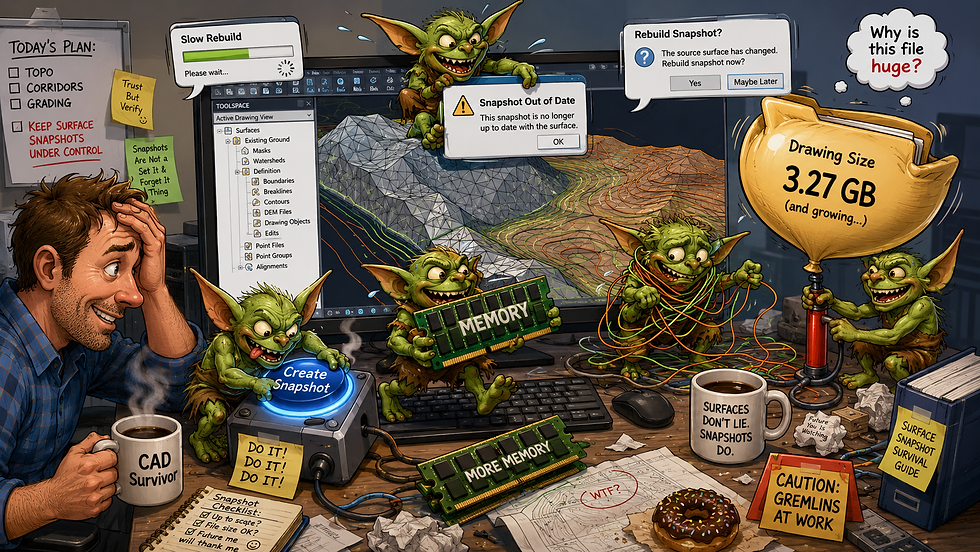
Civil 3D surface snapshots are one of those features that sound harmless, helpful, and "cute". Like labeling your layers, auditing your drawings, or pretending your feature lines aren't behaving like heathens.
But snapshots are also one of those Civil 3D gremlins that can quietly help you… right up until they quietly ruin your day.
So let’s talk about what surface snapshots are, what they actually do, when they help, when they hurt, and why they should not be treated like a magical “make surface faster” button.
What IS a Surface Snapshot?
A surface snapshot is a saved surface operation that captures the current state of a surface’s points and triangles after the operations that came before it.
Autodesk describes it this way: the current surface points and triangles resulting from previous surface operations are contained in a surface snapshot operation. When the surface is rebuilt, Civil 3D ignores the earlier operations and starts the build from the snapshot instead.
In plain terms:
Civil 3D says, “Instead of rebuilding this surface from all the original data and edits, I’m going to start from this saved version and continue from there.”
Think of it almost like a checkpoint in a video game.
Except the video game is Civil 3D.
And the boss fight is a 47 MB surface with 9,000 edits, five pasted surfaces, twelve boundaries, and one feature line from 2012 named TEMP_DO_NOT_USE_FINAL_FINAL.
What Does a Snapshot Actually Do?
A snapshot stores the surface geometry at a certain point in the surface definition history. After that, Civil 3D can rebuild the surface starting from the snapshot instead of replaying every prior operation.
That can improve rebuild performance because Civil 3D references the snapshot rather than redoing the operations that created the surface. Autodesk specifically notes this as the benefit: faster surface rebuilds.
So instead of Civil 3D doing this:
Read source data.
Add point files.
Add breaklines.
Add boundaries.
Apply edits.
Recalculate triangles.
Question your career choices.
Finally rebuild the surface.
It can do this:
Start from snapshot.
Apply anything after the snapshot.
Move on with life.
That sounds great.
And sometimes it is.
The Good
Snapshots Can Speed Up Rebuilds
This is the big selling point. If you have a surface with a long list of definition operations, a snapshot can reduce how much work Civil 3D has to redo during rebuilds.
That is useful when you have a stable surface and you are only making edits after a known good point.
Snapshots Can Protect Against Missing External Source Files
One particularly useful case is imported data, such as LandXML. Autodesk’s documentation states that after importing surface data, Civil 3D can automatically create a snapshot; with a LandXML import, this means Civil 3D does not have to find and open the LandXML file every time the surface is built.
That matters because project folders move. Client files can disappear. Network drives get renamed. Someone makes a folder called Archive and then archives the archive.
A snapshot can let the surface keep functioning without constantly needing the original import file.
Snapshots Can Be Useful for Small, Stable Surfaces
Snapshots are usually more useful with small surfaces.
That is the key phrase: small surfaces.
Not “every surface.”
Not “all surfaces.”
Not “the 3.2-million-point aerial topo you downloaded because contours are for cowards.”
Small. Stable. Appropriate.
The Bad
Snapshots Use Memory
Here is where the cool shiny button starts to become tarnished.
Snapshots use system memory and can double the amount of memory required for the surface.
Double.
As in: your already-chunky surface may now show up to the RAM "party" with 20 extra friends.
That is why Autodesk recommends avoiding snapshots with large surfaces and retaining active links to point files, XML files, or other input data instead.
So yes, a snapshot may make rebuilds faster.
But it may also make the drawing heavier.
Snapshots Can Hide Earlier Surface Definition Changes
A snapshot changes where Civil 3D starts rebuilding. Once a snapshot exists, previous operations are effectively baked into that snapshot for rebuild purposes. Autodesk says that when a surface is built, previous surface operations are ignored and the build begins at the snapshot operation.
That does not mean the operations disappear from Prospector. It means the rebuild process starts from the snapshot instead of replaying those earlier steps.
This can be good.
It can also be a trap.
Because if someone changes or removes an operation that happened before the snapshot, the snapshot may need to be rebuilt.
Snapshots Add One More Thing to Manage
Civil 3D surfaces already have enough ways to become chaos:
Data shortcuts
Pasted surfaces
Boundaries
Breaklines
Edits
Rebuild settings
Surface styles
Analysis styles
Source files living on someone’s desktop
A snapshot adds another layer to that story.
Now when a surface does not behave, you have to ask:
“Is the definition wrong, or is the snapshot stale?”
That is not a huge problem if your team understands snapshots.
It is a very large problem if the team’s surface management policy is “click things until contours happen.”
The Ugly
Large Surface + Snapshot = Possible Performance Faceplant
Autodesk’s guidance is clear: avoid snapshots with large surfaces. The reason is memory. A snapshot can double the memory required for the surface.
That means a snapshot on a large surface might improve rebuild behavior in one way while making the drawing heavier and more demanding in another.
This is the classic Civil 3D bargain:
“You may have speed, but first you must sacrifice stability.”
Not always. But often enough to make it worth respecting.
Imported or Cropped Surfaces Can Have Snapshot Behavior You Forget About
When a new cropped surface is created, Civil 3D takes a snapshot of the new surface. To rebuild the new surface, you must first run Rebuild Snapshot and then Rebuild.
That is a lovely little workflow footnote with the emotional energy of a trapdoor.
If you are working with cropped surfaces, pasted surfaces, or imported surfaces, do not assume rebuild means what you think it means. Check whether a snapshot exists and if it needs to be rebuilt.
A Snapshot Is Not a Backup
This needs to be said LOUDLY:
A surface snapshot is not a substitute for good source data management.
It is not a backup.
It is not version control.
It is not a data shortcut replacement.
It is not a waiver from keeping the original LandXML, point file, DEM, survey database, or source drawing.
It is a surface operation that stores a surface in a specific state of build.
That’s it.
Do not build your entire project QA/QC workflow on “the snapshot probably has it.”
That is not a workflow. That turns your file into a possible hostage situation.
How to Tell If a Surface Has a Snapshot
In Prospector, expand the surface definition. Snapshot operations show up in the surface operation list.
You can manage snapshots from Toolspace:
Create Snapshot
Rebuild Snapshot
Remove Snapshot
When You Should Use a Snapshot
Use a surface snapshot when:
The surface is relatively small.
The existing surface definition is stable.
Rebuilds are slow because of many prior surface edits.
You need to preserve imported surface geometry without repeatedly relying on the original import file.
You understand that the snapshot may increase memory use.
Basically: use snapshots when they solve a known problem.
Do not use them because they sound official.
When You Should Avoid a Snapshot
Avoid snapshots when:
The surface is large.
The surface is still actively changing.
You need live links to original source files.
You are already fighting drawing performance.
The team does not understand how snapshots affect rebuilds.
The surface definition needs to remain transparent and easy to audit.
Thanks for stopping by the Den! It's not a bug, it’s a feature. Allegedly.
Images provided by ChatGPT 2026.


Comments