
Civil 3D Pipe Networks: Sharing Underground Problems With Friends

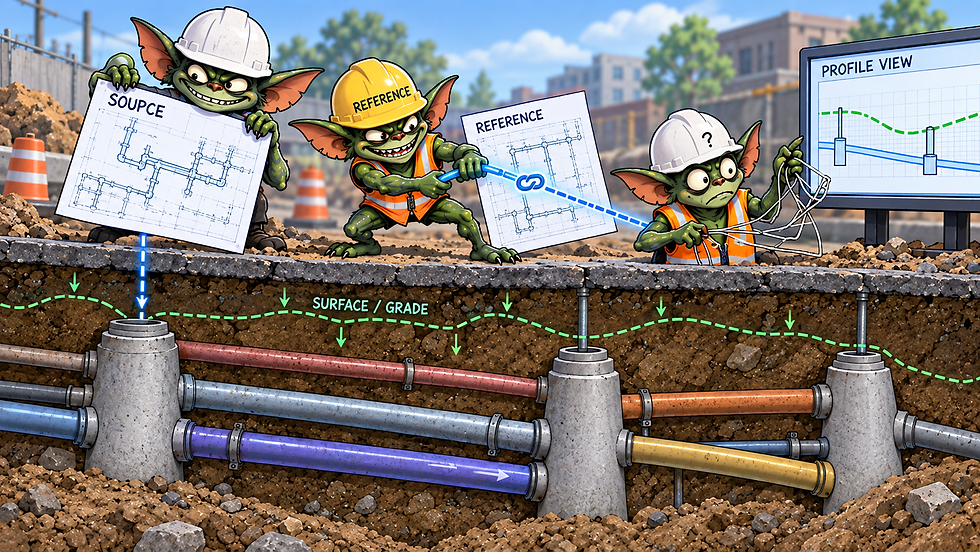
Pipe networks in Civil 3D are pretty manageable when they stay in one drawing.
Then someone says:
“We need this in the plan sheets.”
Now the network is shared across source drawings, Data Shortcuts, profiles, labels, surfaces, parts catalogs, and production sheets.
Nothing could possibly go wrong there!
A Pipe Network Is More Than Pipes and Structures
A typical network can depend on:
Pipes and structures
Surfaces
Alignments
Profiles and profile views
Parts lists and catalogs
Styles and label styles
Data Shortcut references
Xrefs
That matters because a network can look correct while one of those dependencies is quietly wrong.
Data Shortcuts: Useful, but Not Magic
Data Shortcuts are one of the best ways to share pipe networks between design and production drawings.
The important part is remembering that the network in the sheet drawing is a reference, not the editable source.
If the source changes, the reference may need to be synchronized.
The Network Updated. Did the Labels?
You can label referenced pipe networks, which is extremely useful.
But the labels live in the drawing where they were created.
That means a synchronized network does not automatically guarantee every label is still correct.
Watch for problems when someone:
Deletes and recreates a pipe
Splits one pipe into two
Replaces a structure
Renames structures
Makes major geometry changes
Civil 3D tracks object relationships behind the scenes. Rebuilding an object that looks identical to the old one does not necessarily make it the same object. (You can read more on these GUID Gremlins here: Civil 3D GUIDs.)
So yes, the pipe may be back.
The label may disagree.
Surfaces Can Be a Major Dependency
Pipe networks often use surfaces for:
Rim elevations
Cover
Pipe rules
Profile display
Structure placement
If elevations suddenly look wrong, check which surface the network is actually using.
Not which surface everyone assumes it is using.
That distinction has solved more than a few mysteries over the years.
Rules Are Guardrails, Not Engineering
Pipe rules can help check things like cover, slope, and pipe length.
They are useful.
They are not design intelligence.
A rule warning does not automatically mean the design is wrong, and "no warning" does not automatically mean the design is right.
Use rules to catch issues.
Do not let them replace QA/QC.
Profile Views Tell the Truth
Plan view can make a pipe network look perfectly reasonable.
Profile view tends to reveal the interesting parts:
Strange slopes
Bad crossings
Pipes hovering around the center of the earth
Cover problems
Questionable structure depths
Pipes that are not behaving quite the way you thought
Checking both plan and profile is one of the best ways to catch problems before they reach sheets.
Crossing Utilities Need Attention Too
Crossing pipes may come from another network, another drawing, or another reference entirely.
That is great for coordination, but it also means those crossings are only useful if the referenced information is current.
Otherwise your profile is showing you where the utility used to be.
Not quite the same thing.
Parts Catalogs Can Break a Good Network
Custom pipe and structure parts work well when everyone has access to the same catalogs and families.
If one user does not, Civil 3D may not know what to do with those parts.
This is especially important when projects move between:
Offices
Computers
VMs
Consultants
Clients
If you use custom parts, make sure the project workflow includes them.
Styles Can Make a Correct Network Look Wrong
Sometimes the network is fine.
The style is not.
Before rebuilding anything, check:
Pipe style
Structure style
Label style
Layers
Display settings
Plot behavior
A bad style can make a perfectly good network look broken.
And rebuilding good geometry because of a display issue is a fantastic way to create a real problem.
Naming and Drawing Structure Matter
Civil 3D will happily let you create:
Pipe Network - (1)
and
Pipe Network - (2)
Future-you may have stronger opinions.
Use meaningful network names and make it clear which drawing owns the editable network.
A simple project structure often looks like:
Design drawing: Editable network
↓
Data Shortcut: Published network
↓
Production drawings: Plan sheets, profiles, labels
The exact setup can vary.
The important part is that everyone knows where design changes happen.
My Quick Pipe Network Troubleshooting Check
When something stops behaving, I usually check:
Is this the source network or a reference?
Is the reference synchronized?
Is the correct Data Shortcut project active?
Did someone delete and recreate objects?
Are the labels still tied to valid objects?
Is the correct surface assigned?
Are the proper parts catalogs available?
Are the styles correct?
Does the network look right in both plan and profile?
What changed immediately before the problem started?
That last question is usually worth asking first.
The Bigger Issue Is Usually the Workflow
Pipe networks themselves are not usually the hard part.
Managing everything connected to them is.
The source drawing matters.
The references matter.
The surfaces matter.
The labels matter.
The parts matter.
And once several people and drawings are involved, small workflow problems spread very quickly.
So yes, use Data Shortcuts.
Share the network.
Label the references.
Build the profiles.
Just remember:
When you share a pipe network, you are sharing more than pipes and structures. You are sharing all of their dependencies too.
Thanks for stopping by the Den!
Civil 3D. It's not a bug. It's a feature. Allegedly.
Image provided by ChaotGPT 2026

Comments